

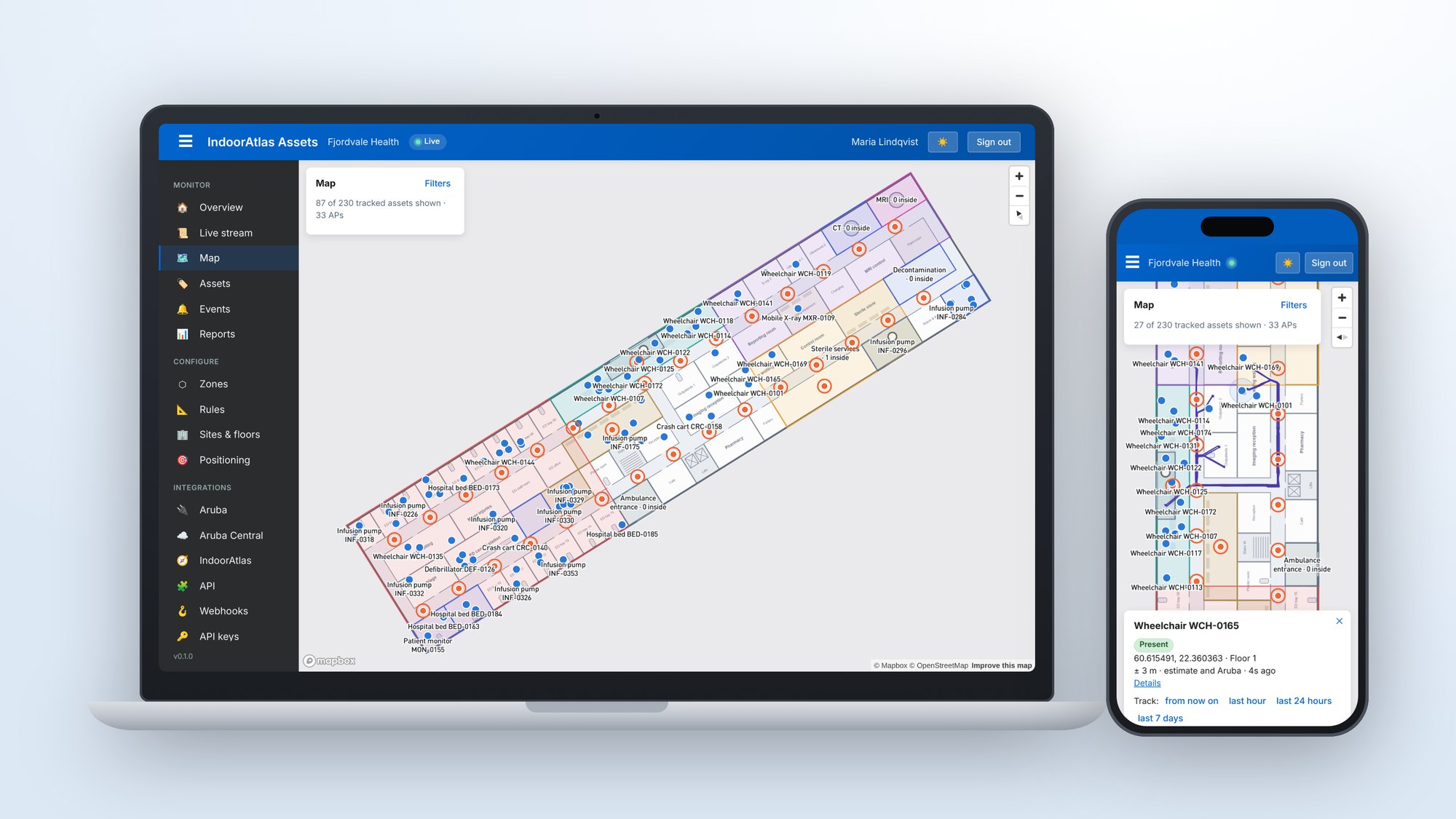
Equipment, tools and carts move around all day. When something cannot be found, people spend their time searching, and organisations buy extra to be on the safe side. IndoorAtlas Assets brings real-time asset tracking to the HPE Aruba Networking access points that are already in your building, and shows every tagged item on the floor plan as it moves.
Where it helps
Any organisation with valuable items that move around can use it. For example:
- Hospitals: infusion pumps, wheelchairs, beds and monitors, and how long they wait to be cleaned.
- Logistics and warehouses: roll cages, pallet jacks and returnable containers.
- Manufacturing: tools, test equipment and work-in-progress carts.
- Offices, campuses and venues: shared devices, event equipment and furniture.
Whatever the setting, the goals are the same:
- Find the nearest available item without searching for it.
- Know which items are idle, in use or waiting for maintenance.
- Get an alert when something heads for an exit, enters an area where it does not belong, or goes missing.
- See how much equipment you actually use before buying more.
Built on the network you already have
There is no separate locator network to install. The access points listen for Bluetooth (BLE) tags and pass on what they hear to IndoorAtlas, which works out where each tag is and shows it on your floor plans. Access point locations come from HPE Aruba Networking Central, so there is little to set up by hand. Standard BLE tags work, and tags that report their battery level or temperature show those values too. Rules can take new tags into use automatically.
Everything on one map
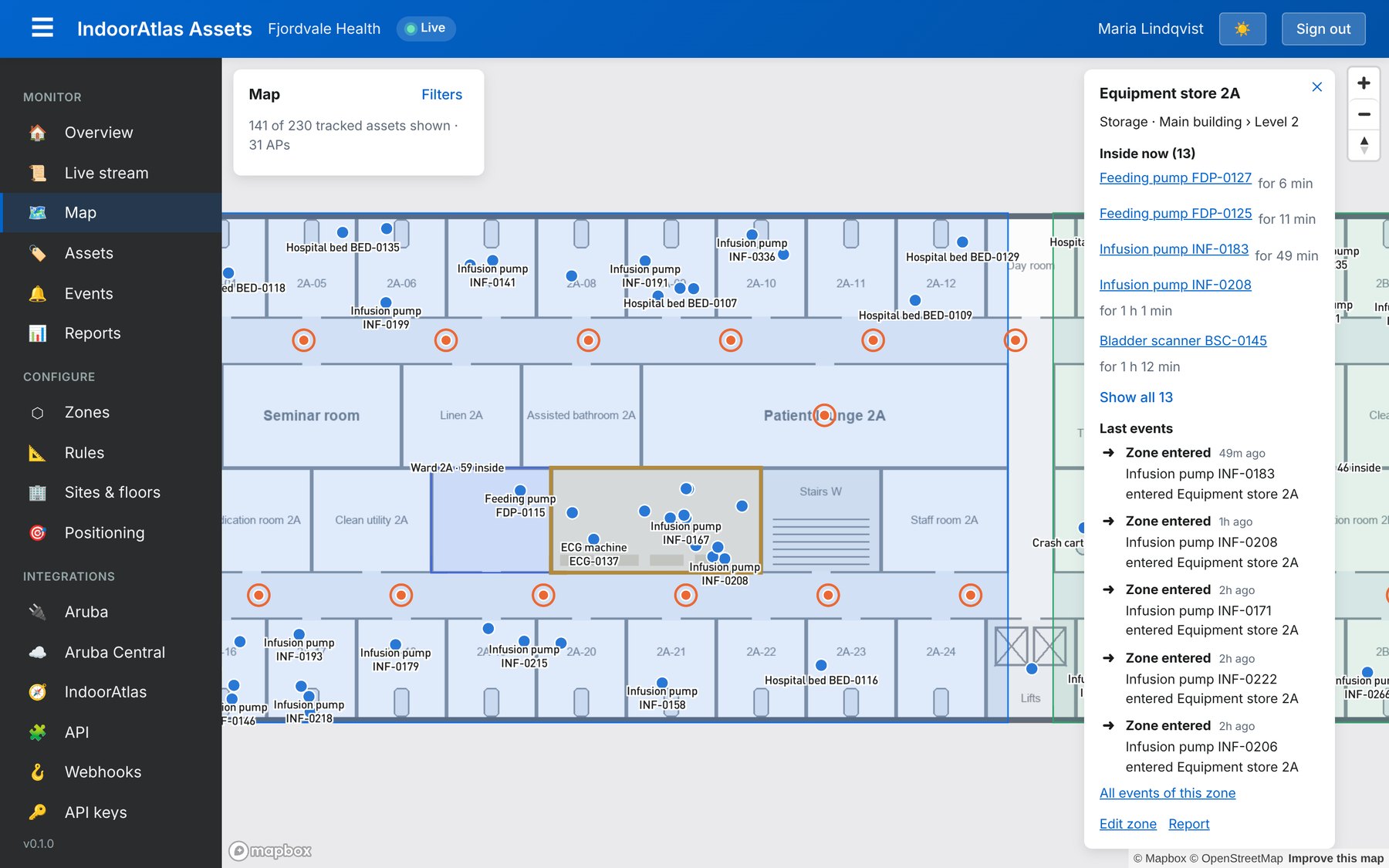
The live map shows each floor with its zones, such as departments, storerooms, loading areas and exits, and every tracked item on it. Search for an item, filter by type, or select a zone to see what is inside right now and what has happened there. Select an item to see where it has been over the last hour, day or week.
Rules turn locations into actions
A rule can fire when an item enters or leaves a zone, stays somewhere longer than it should, goes missing, runs low on battery, or reports a temperature out of range. For example:
- A roll cage leaves the warehouse through the loading dock.
- A pallet has stood in the goods-in area for more than four hours.
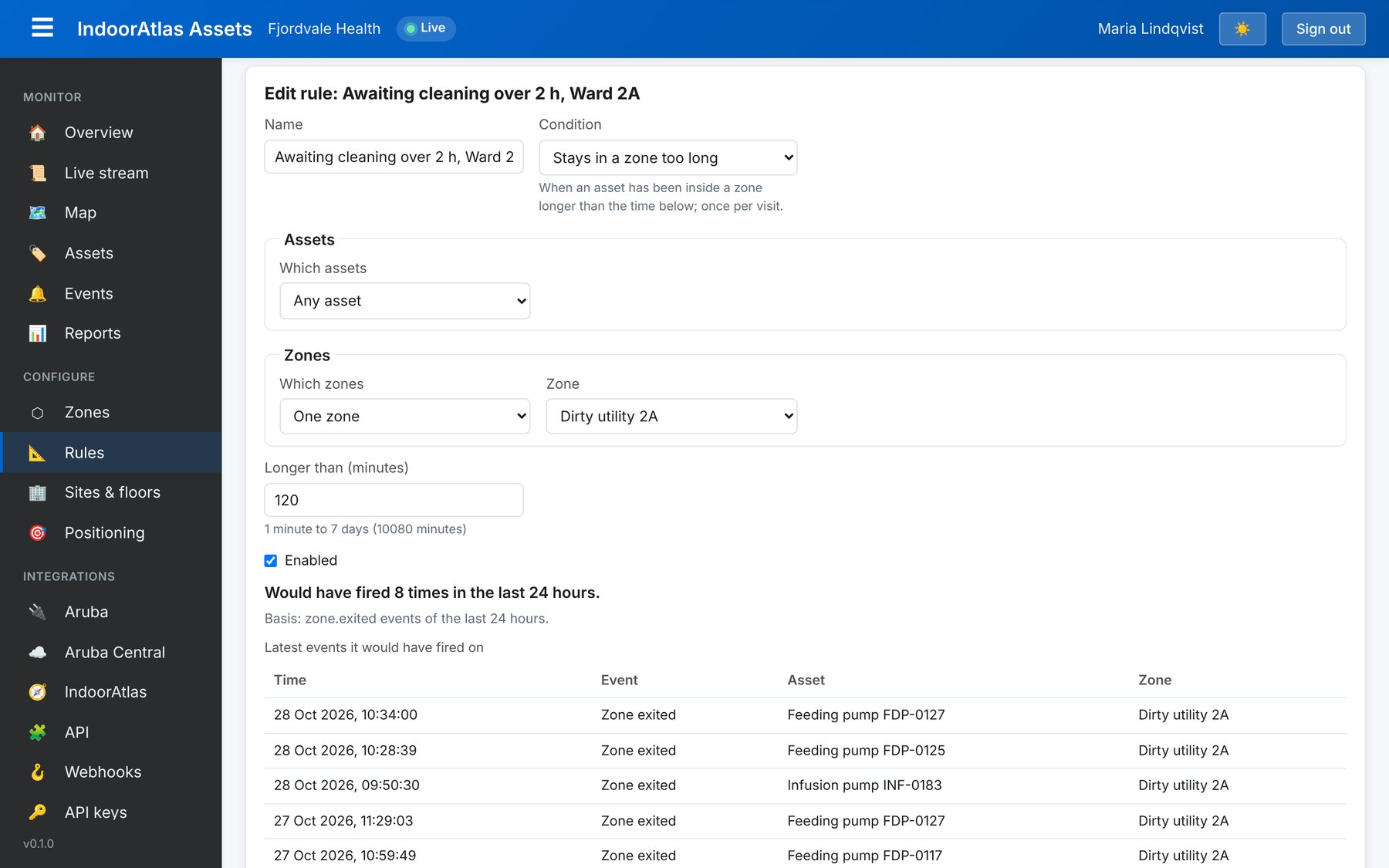
- In a hospital, a pump has waited for cleaning for more than two hours.
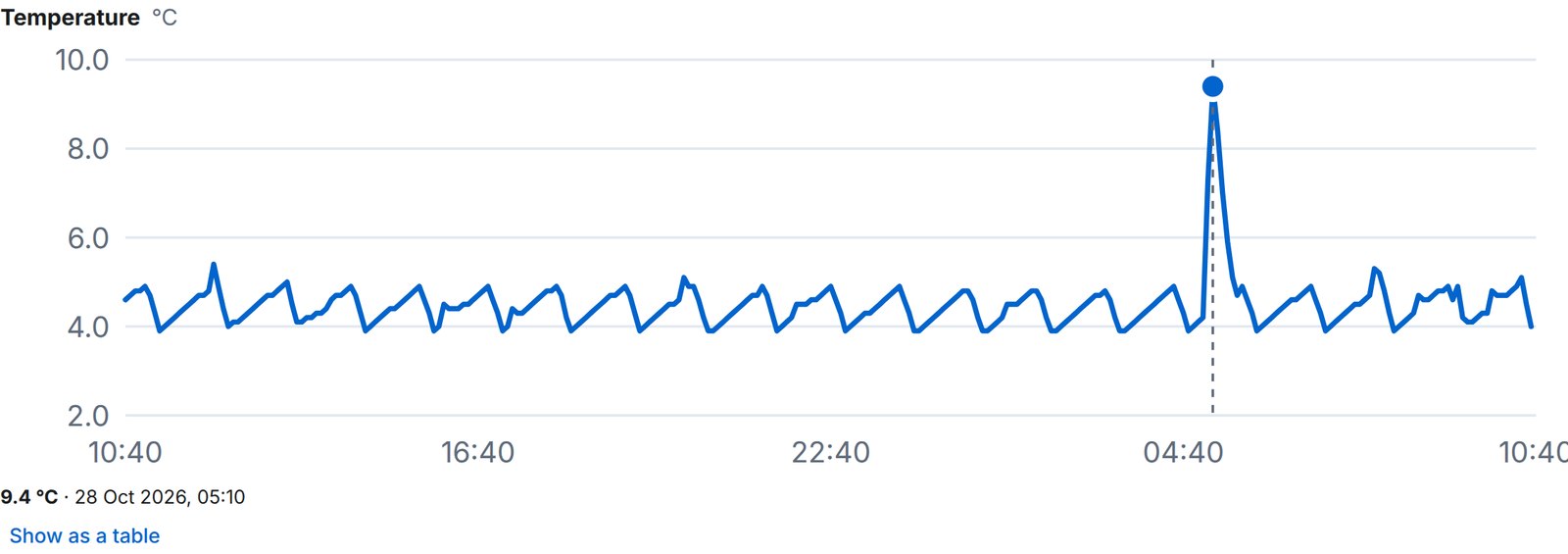
- A fridge or cold store leaves its 2–8 °C range.
Before you save a rule, the preview shows how often it would have fired over the last day, so you can tune it before it starts sending alerts.
Alerts appear in the events feed and on each item’s page, and they can be passed on to your own systems, such as a service desk or a maintenance system.
Reports for planning
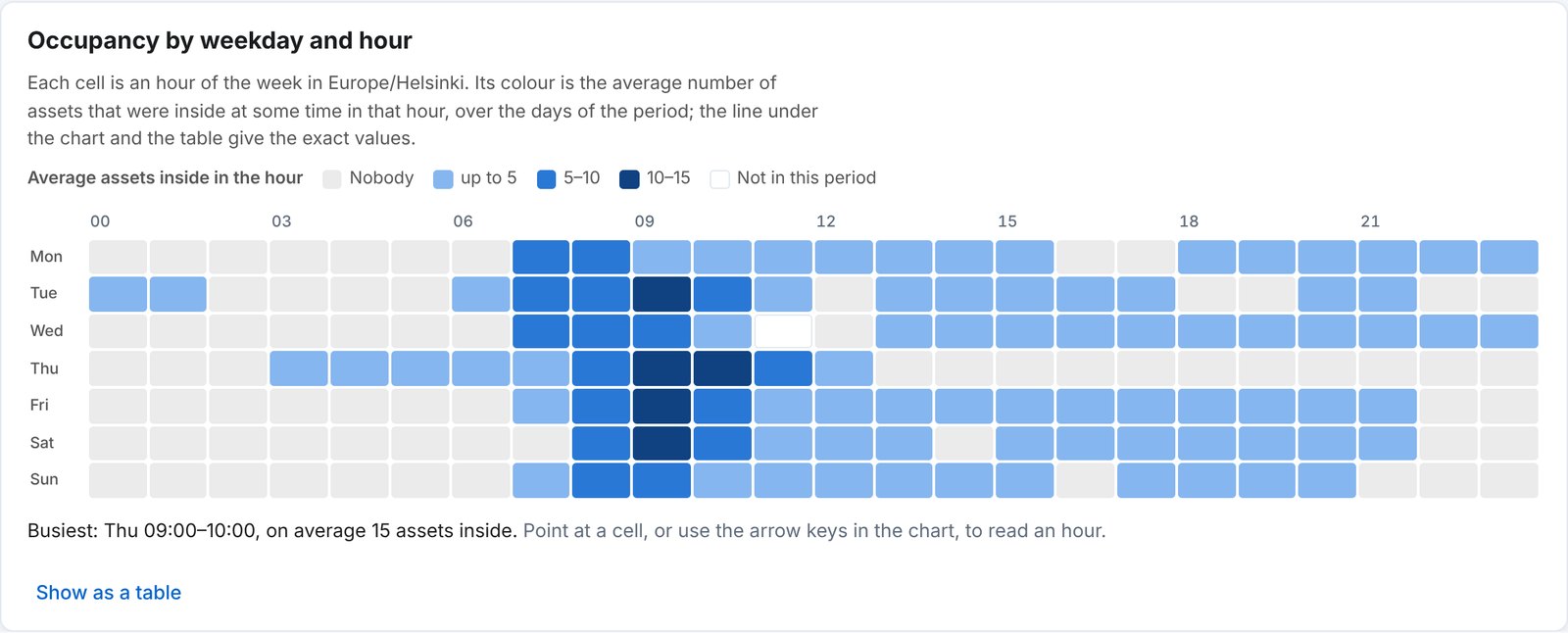
Reports show how many items were in each zone by weekday and hour, and where each type of equipment spent its time.
Open and secure
- An API and webhooks connect Assets to your own systems.
- Users get the access their role needs, and sign-in can require a second factor.
- Tags carried by people are handled separately: their positions are shown only to the users who are allowed to see them.
- One account can cover several sites, buildings and floors.
Getting started
If your building already has HPE Aruba Networking access points, getting started means connecting them and Central to IndoorAtlas and attaching tags to the items you want to follow. After that, your team uses IndoorAtlas Assets in a browser at assets.indooratlas.com, on a desktop or a phone. Contact us to plan a pilot.